What the app does
Find a charger
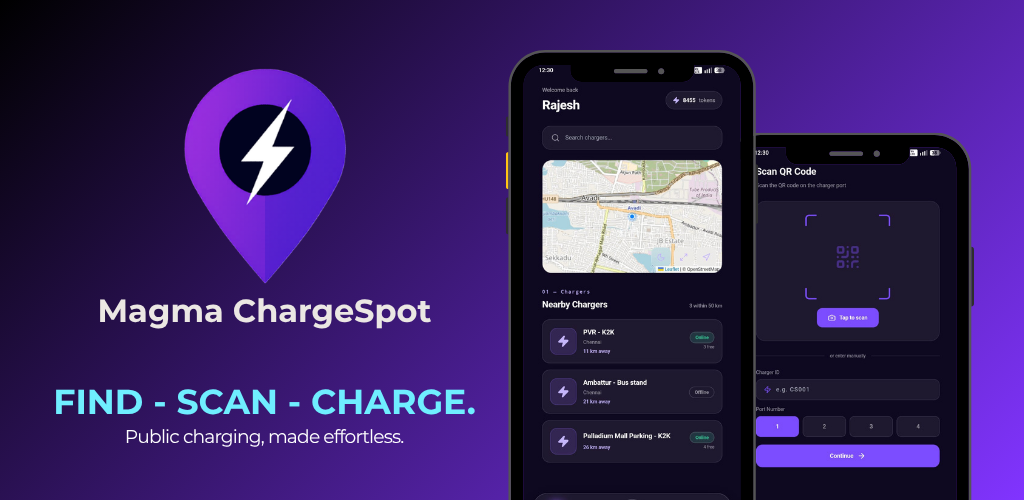
Search, or browse the map of chargers near you. Each one shows its site, its distance from you and whether it is online.
Get directions
Navigate straight to the charger you picked, so you are not hunting for the bay once you arrive.
Check availability first
Live online and offline status on every charger in the list - you know before you drive, not after.
Start with a scan
Scan the QR code on the charger port and the app opens ready to go - installed or straight in your browser. No camera? Enter the charger ID and port number instead.
Pay for your session
Your charging session is billed and paid in the app. A receipt lands with it - energy, duration and amount.
Wallet-based billing
Top the wallet up and charge against the balance. Your remaining tokens sit at the top of the home screen.
Three ways to use it.
Progressive Web App
Scan the QR code on the charger and the app opens straight in your browser - nothing to install. Add it to your home screen to keep it.
Open Web AppiPhone & iPad
The iOS build is on the way to the Apple App Store. Until then, scan the charger QR and use the web app in Safari.
A charging session, start to finish.
- STEP 01
Find
Open the map or search nearby. Pick a charger that is online and close.
- STEP 02
Drive
Take the directions to the site and park beside the charger you picked.
- STEP 03
Scan
Scan the QR on the port. mobile app | or web app - opens, charger selected.
- STEP 04
Charge
The session starts and keeps running while you are parked. Nothing else to do.
- STEP 05
Pay
The cost comes off your wallet balance and you get a receipt right away.